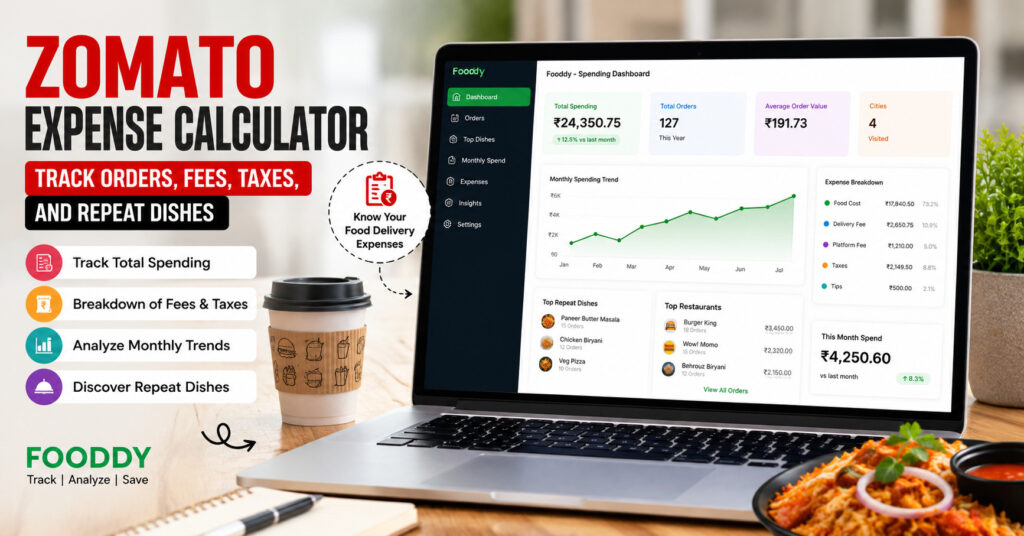
A Zomato expense calculator helps you understand how much you actually spend on Zomato by checking your order history, total order value, delivery fees, platform fees, taxes, tips, and repeat dishes. Instead of guessing your food delivery budget, you get a clearer view of where your money goes every month.
Most Zomato orders feel harmless when you place them. A quick lunch, one evening snack, a weekend pizza, one late-night dessert — each order looks small alone. But when you calculate the total expense across weeks or months, the number can be surprising.
That is why people search for a Zomato Total Expense . They do not just want to know one order amount. They want to know the real cost of their food delivery habit — including fees, taxes, repeated dishes, and those “small” orders that quietly add up.
In this guide, you will learn how a Zomato expense calculator works, what it should track, how Fooddy helps you calculate expenses faster, and how to use the result to control your monthly food delivery budget without completely stopping the food you enjoy.
What Is a Zomato Expense Calculator?
A Zomato expense calculator is a tool or method that checks your Zomato order history and converts your past orders into a clear spending summary. Instead of scrolling through old orders one by one, the calculator helps you see your total spending, monthly average, yearly spend, and ordering patterns.
A basic calculator may only show your total spend. A better calculator should go deeper and help you understand:
- How many orders you placed
- How much you spent overall
- Your average order value
- Which months were expensive
- Which dishes you repeat the most
- How delivery fees, platform fees, taxes, and tips affect your real cost
If you want a broader view across food delivery platforms, you can also read Fooddy’s guide on the Food Delivery Spending Calculator, where Zomato and Swiggy spending are explained together.
Why Your Zomato Expense Is More Than Just Food Price
When people think about food delivery cost, they usually remember the restaurant item price. But your final Zomato bill can include several extra charges. That is why your actual expense may be higher than what you mentally calculate.
A proper Zomato expense check should include:
- Food item cost: The base price of the dish or combo.
- Delivery fee: The amount charged for bringing the order to your location.
- Platform fee: A small fixed fee added by the platform.
- Packaging charges: Restaurant-level packing or handling charges.
- Taxes: GST and other applicable tax components shown on the bill.
- Tips: Optional amount added for the delivery partner.
- Refunds or cancellations: These should be checked separately for accurate totals.
For example, a ₹299 dish may not remain a ₹299 order. After delivery fee, taxes, packing charge, platform fee, and tip, the final bill can look very different. This is why a Zomato expense calculator is useful for people who order frequently.
How to Use Fooddy as a Zomato Expense Calculator
Fooddy is designed to help users track food delivery spending from Zomato and Swiggy. It turns scattered order history into a cleaner spending view, so you can understand total cost, top dishes, and monthly patterns without adding every order manually.
Step 1: Install the Fooddy Extension
Start by adding the Fooddy spending calculator extension to your browser. This helps you calculate food delivery expenses faster instead of manually checking each order from your Zomato history.
Step 2: Open Zomato and Log In
Use the same Zomato account you normally order from. If your orders are split across multiple phone numbers or email accounts, the calculator will only reflect the account you are currently checking.
Step 3: Go to Order History
Open your Zomato order history and make sure older orders are visible. This step is important because incomplete order history can lead to a lower or inaccurate total.
Step 4: Analyze Total Spending
Use Fooddy to analyze your visible order history. The tool helps summarize your food delivery expenses so you can review total spending, order count, top dishes, and monthly cost patterns.
Step 5: Review the Expense Pattern
Do not stop at the total number. Check which months were expensive, which dishes you repeated, how many orders were impulse orders, and whether your average order value is increasing over time.
Try Fooddy for Zomato Expense Tracking
Fooddy helps you calculate your food delivery spending, discover repeat dishes, and understand your ordering habits across Zomato and Swiggy.
What Should a Good Zomato Expense Calculator Show?
A good expense calculator should not only show “you spent ₹X”. That number is useful, but it does not explain your habit. A better expense view should answer the questions that actually help you control spending.
| Expense Metric | Why It Matters |
|---|---|
| Total Spend | Shows how much you spent overall on Zomato orders. |
| Monthly Average | Helps you understand whether food delivery is becoming a regular budget category. |
| Average Order Value | Tells you how much one normal order usually costs you. |
| Repeat Dishes | Shows which foods you order again and again, helping you spot hidden habits. |
| High-Spend Months | Helps identify festivals, weekends, office months, or stressful periods where ordering increased. |
Example: How Small Zomato Orders Become a Big Monthly Expense
Let’s say your average Zomato order is ₹350. If you order only twice a week, that is around eight orders a month.
Simple Monthly Expense Example
Average order value: ₹350
Orders per month: 8
Estimated monthly spend: ₹2,800
Estimated yearly spend: ₹33,600
Now imagine you order 15–20 times a month. The total can quickly move from a casual expense to a major monthly habit. This is exactly why a calculator is useful — not to make you feel guilty, but to make the number visible.
Why Repeat Dishes Matter in Zomato Expense Tracking
Repeat dishes are one of the most underrated parts of food delivery tracking. Many people do not realize that one repeated dish can become a major expense over time.
For example, if you order the same burger meal 12 times in two months, that one item may cost more than your occasional premium restaurant order. A Zomato expense calculator that highlights repeat dishes helps you understand not only how much you spend, but what you keep spending on.
This is useful for three reasons:
- You can identify comfort-food spending patterns.
- You can find dishes that look cheap but become costly because of frequency.
- You can decide which foods are worth keeping in your budget and which are impulse orders.
If you enjoy food trend insights, you can also explore Fooddy’s guide on most ordered desserts by Indians to understand how repeat cravings shape ordering behavior.
Zomato Expense Calculator on Mobile: What to Know
Most users order food from their phones, so mobile tracking matters. But mobile order history can be harder to review because you have to scroll, load older orders, and check details manually.
If you are trying to check expenses on a phone, make sure your order history is fully loaded before trusting the total. For a separate mobile-focused walkthrough, read Fooddy’s guide on the Zomato Spending Calculator on Mobile.
Zomato vs Swiggy: Why You Should Track Both
Many people do not order from only one app. They compare prices, use coupons, switch based on restaurant availability, or order from whichever app sends the better offer. That is why checking only Zomato may give an incomplete view of your real food delivery budget.
If you also order from Swiggy, compare both platforms month by month. You may discover that Zomato is used for full meals while Swiggy is used for snacks, desserts, or late-night cravings. For Swiggy-specific tracking, check Fooddy’s guide on the Swiggy Spending Calculator on Mobile.
You can also look at food ordering trends in Swiggy’s Highlights for 2023 to see how ordering behavior becomes part of everyday food culture.
Accuracy Checklist Before You Trust the Final Expense Number
Before you use your Zomato expense result for budgeting, check these points:
- Use the correct account: Expenses may be split if you have multiple Zomato logins.
- Load older orders: Incomplete order history can reduce your calculated total.
- Check refunds: Cancelled or refunded orders may need manual review.
- Separate group orders: Office or friend-group orders can make your personal expense look higher.
- Review time period: Monthly, yearly, and lifetime totals tell different stories.
How to Reduce Zomato Expenses Without Stopping Food Delivery
The goal of expense tracking is not to make food delivery feel bad. The goal is to enjoy it with control. Once you know your total expense, use these simple rules:
1. Set a Weekly Delivery Limit
Instead of saying “I will order less,” set a number. For example, two orders per week or ₹1,500 per week.
2. Watch the Add-Ons
Beverages, desserts, fries, and extra sides often turn a normal order into an expensive one.
3. Compare Final Bill, Not Menu Price
Before placing the order, check the final payable amount after all fees and taxes.
4. Keep a Repeat Dish Budget
If one dish appears again and again in your order history, decide how many times a month it fits your budget.
Final Takeaway
A Zomato expense calculator gives you something the normal order history does not always make obvious: the full story of your food delivery spending. It helps you see total spend, monthly cost, average order value, fees, taxes, and repeat dishes in a more useful way.
If you order frequently, Fooddy can make expense tracking easier by helping you calculate food delivery spending across Zomato and Swiggy. The result is not just a number — it is a clearer picture of your ordering habits.
Ready to Check Your Zomato Expenses?
Use Fooddy to calculate your Zomato and Swiggy spending, find repeat dishes, and understand your monthly food delivery budget clearly.
FAQs
What is a Zomato expense calculator?
A Zomato expense calculator is a tool that helps calculate your food delivery spending from Zomato order history. It can show total spend, monthly average, order count, and repeat food habits.
Can I check Zomato expenses manually?
Yes, you can manually add each order from your Zomato order history. However, this becomes slow and inaccurate if you have many orders. A calculator makes the process easier.
Does Zomato expense include fees and taxes?
Your final Zomato bill may include food price, delivery fee, platform fee, packaging charge, taxes, and tips. For accurate tracking, review the final paid amount rather than only the menu price.
Why is my Zomato expense total lower than expected?
Your total may look lower if older orders are not loaded, if you are using a different account, or if some cancelled/refunded orders are handled separately.
Can Fooddy track repeat dishes?
Fooddy helps users understand food delivery patterns, including frequently ordered dishes, so you can see what you order again and again.
Should I track Swiggy expenses too?
Yes. If you use both Zomato and Swiggy, tracking only one app will not show your full food delivery budget. Comparing both gives a clearer expense picture.