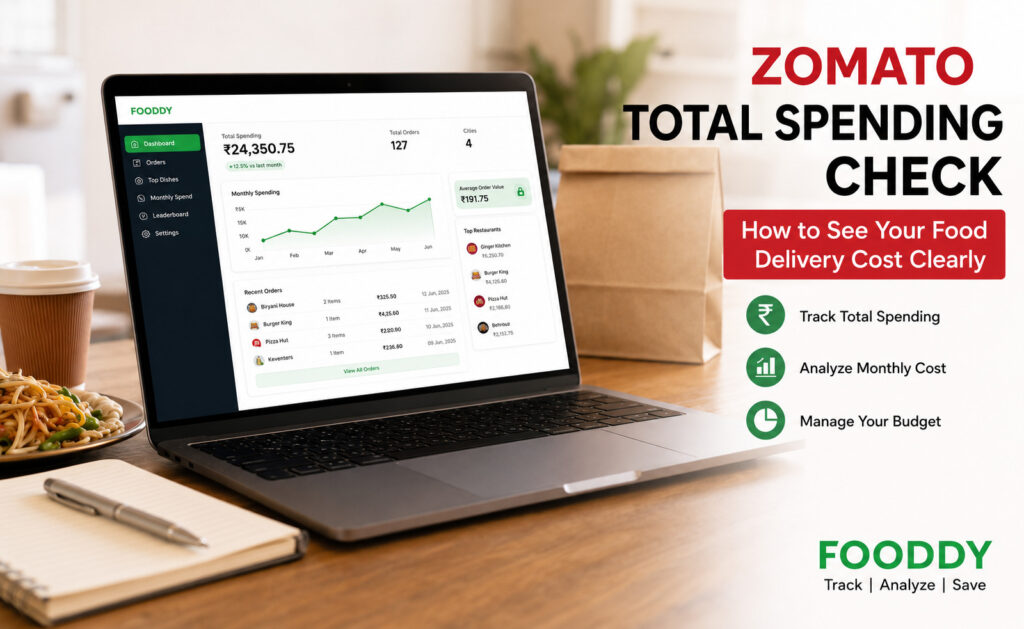
To check your Zomato total spending, open your Zomato order history, load older orders, and use a spending calculator like Fooddy to convert scattered orders into a clear total. This helps you see your monthly, yearly, or lifetime food delivery cost without manually adding every bill.
Most people do not notice their Zomato spending because the orders look small individually. One ₹250 snack, one ₹400 dinner, one weekend biryani, one late-night dessert — and suddenly food delivery becomes a real monthly expense.
The problem is simple: Zomato shows your past orders, but it does not always give users a clear lifetime spending summary in one easy view. That is why people search for zomato total spending, Zomato spending calculator, and Zomato lifetime spend check.
This guide explains how to check your Zomato food delivery cost clearly, what numbers to include, where totals can go wrong, and how Fooddy helps you track spending without making the process boring or confusing.
What Does Zomato Total Spending Mean?
Zomato total spending means the total amount you have spent on food orders through Zomato over a selected period. This can be your monthly spend, yearly spend, or lifetime spend since you started ordering.
A proper spending check should include more than just the food item price. Your final cost may include food price, delivery fee, platform fee, taxes, restaurant packaging charges, tips, and sometimes surge or distance-based charges.
Your Real Zomato Cost Usually Includes:
- Food item price
- Restaurant packaging charges
- Delivery fee
- Platform fee
- GST and other taxes
- Tips or optional donations, if added
- Extra charges during peak demand, if applicable
This is why checking only the menu price is misleading. A ₹299 meal may become much higher at checkout after all charges are added.
How to Check Zomato Total Spending Clearly
The easiest way is to use your Zomato order history and then calculate the total with a tool. Manual checking works for a few orders, but it becomes frustrating when you have months or years of orders.
Step 1: Open Your Zomato Account
Log in to the same Zomato account you normally use for food delivery. If you use multiple phone numbers or email accounts, check the account where most of your orders were placed.
Step 2: Go to Your Order History
Open your profile or account section and go to your orders. This section shows your past deliveries, cancelled orders, restaurant names, dates, and paid amounts.
Step 3: Load Older Orders
This is the step many users miss. If older orders are not loaded, your total spending may look lower than the actual amount. Scroll and load as many past orders as possible before calculating.
Step 4: Use Fooddy to Analyze Spending
Instead of adding every order manually, use Fooddy to analyze your food delivery spending. Fooddy helps users track total spending, understand order patterns, and compare food delivery habits more clearly.
Step 5: Review the Final Number
Once the total appears, do not just look at the big number. Check the period, number of orders, monthly average, and repeated food habits. This tells you whether your spending is normal, occasional, or slowly becoming a budget leak.
Try Fooddy for a Clearer Zomato Spending View
Fooddy helps you check food delivery spending from Zomato and Swiggy, find your most ordered dishes, and understand where your money is going.
Manual Check vs Fooddy: Which Is Better?
| Method | Best For | Problem |
|---|---|---|
| Manual order adding | Few recent orders | Slow and easy to miscalculate |
| Spreadsheet tracking | People who track every expense | Needs regular manual updates |
| Fooddy spending calculator | Fast Zomato and Swiggy spend checks | Older orders must be loaded properly |
If you order once or twice a month, manual checking may be enough. But if you order weekly or switch between Zomato and Swiggy, a calculator is much easier.
Why Your Zomato Spending Feels Lower Than It Actually Is
Food delivery spending hides in frequency. You may remember the expensive orders, but you usually forget the small ones — tea, rolls, momos, fries, desserts, cold coffee, or late-night snacks.
That is where the total becomes surprising. Ten small orders of ₹250 are already ₹2,500. Add delivery charges, platform fees, taxes, and weekend meals, and the monthly number can grow quickly.
If your average order is ₹350 and you order 15 times a month, your monthly delivery spend is already ₹5,250 before considering extra charges or impulse add-ons.
How to Make Your Zomato Spending Check More Accurate
Spending calculators are useful, but the result depends on how complete your order history is. Before trusting the total, check these points.
- Load old orders: Scroll properly so the calculator can read more history.
- Use the correct account: Many people have orders split across phone numbers.
- Check cancelled orders: Cancelled or refunded orders may affect totals depending on how they appear.
- Separate personal and office orders: If you order for friends or office teams, your personal spend may look inflated.
- Review monthly average: Lifetime total is interesting, but monthly average is more useful for budgeting.
What to Do After You Know Your Zomato Total Spend
The goal is not to stop ordering food completely. The goal is to order with awareness. Once you know your real total, use it to make better decisions.
1. Set a Monthly Delivery Budget
Choose a realistic amount. If you currently spend ₹8,000 a month, do not suddenly set a ₹1,000 limit. Start with a small reduction and make it sustainable.
2. Create a “No Random Ordering” Rule
Many orders happen because the app is easy to open. Before ordering, ask: “Is this a planned meal or just boredom?” This one question can reduce unnecessary spending.
3. Track Your Top Repeat Orders
If you order the same dish again and again, Fooddy can help you notice that pattern. Sometimes one repeated item becomes a bigger expense than you expected.
4. Compare Zomato and Swiggy
If you use both platforms, compare your Zomato total with your Swiggy total. You may find that one app gets more impulse orders while the other is used for planned meals. For a broader guide, read Food Delivery Spending Calculator.
Common Problems While Checking Zomato Total Spending
Problem: Total looks too low
Older orders may not be loaded. Go back to order history, scroll more, and try again.
Problem: Orders are missing
You may be using a different Zomato account, old phone number, or alternate email login.
Problem: Spend feels too high
Check whether the total includes group orders, office orders, refunded orders, or orders placed for someone else.
Final Takeaway
A Zomato total spending check is useful because it shows the real cost of convenience. Your order history may look harmless one bill at a time, but the total can reveal patterns you never noticed.
Use Fooddy to make the process easier, especially if you want to track both Zomato and Swiggy, understand your most ordered dishes, and build a better food delivery budget.
Ready to Check Your Zomato Spending?
Install Fooddy, open your Zomato or Swiggy account, and analyze your total food delivery cost in a clearer way.
FAQs
Can I check Zomato total spending inside the Zomato app?
You can view past orders inside Zomato, but a clear lifetime spending total may not always be shown directly. A spending calculator makes the total easier to understand.
What is the easiest way to calculate Zomato lifetime spending?
The easiest way is to load your Zomato order history and use Fooddy to analyze the total. This avoids manually adding every order.
Is Zomato total spending the same as food price?
No. Your total spending can include food price, delivery fee, platform fee, taxes, packaging charges, and tips.
Why is my calculated Zomato spend not accurate?
The total may be incomplete if older orders are not loaded, if cancelled/refunded orders appear differently, or if your orders are split across multiple accounts.
Can Fooddy also check Swiggy spending?
Yes. Fooddy is built for tracking food delivery spending across Zomato and Swiggy, making it useful for users who order from both platforms.