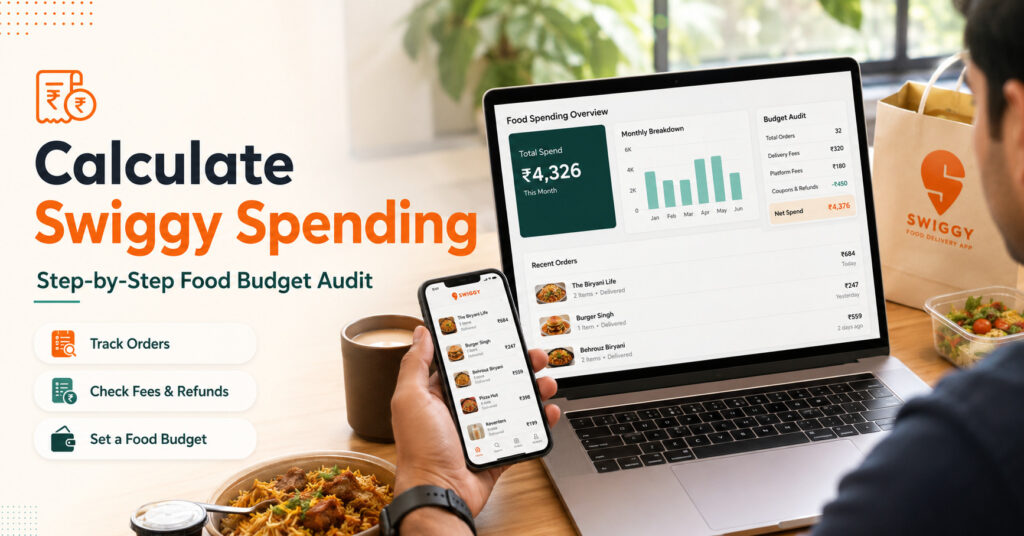
Calculate Swiggy spending by checking your order history, total paid amount, fees, refunds, and monthly order pattern. For a full Zomato + Swiggy view, start with Fooddy’s food delivery spending calculator.
Quick Answer
- Open Swiggy order history.
- Load old orders properly.
- Use Fooddy to calculate total spending faster.
- Check final paid amount, not only food price.
- Review delivery fees, taxes, platform fees, refunds, and repeat orders.
- Use the result to set a weekly or monthly food budget.
How to Calculate Swiggy Spending?
Use this simple method:
- Log in to the Swiggy account you actually use.
- Go to your past orders or order history.
- Load older orders if you want a complete total.
- Use Fooddy to calculate your Swiggy spending faster.
- Review the final amount, not just item prices.
Simple rule
Do not only ask “How much did I spend?” Ask “Why did I spend this much?” That is where the real budget audit starts.
Step-by-Step Swiggy Food Budget Audit
Step 1: Check the right account
If you used multiple phone numbers or emails, your Swiggy spending may be split across accounts.
Step 2: Load older orders
Old orders may not appear at once. Load them properly before calculating total spend.
Step 3: Calculate total paid amount
Use the final bill amount because it includes food cost, fees, taxes, and extra charges.
Step 4: Separate refunds and cancellations
Refunded orders can make the total confusing. Review them separately before deciding your real expense.
Step 5: Check your monthly average
Lifetime spend is interesting, but monthly average is more useful for budgeting.
If you are checking from your phone, read Fooddy’s Swiggy spending calculator on mobile guide because mobile order history can be harder to review fully.
What Should You Include When Calculating Swiggy Spending?
| Item | Why It Matters |
|---|---|
| Food price | Base dish or combo cost. |
| Delivery fee | Small orders can become expensive after delivery charges. |
| Platform fee | Adds up when you order frequently. |
| Taxes and packaging | Final bill can be higher than menu price. |
| Tips | Optional, but still part of your total paid amount. |
| Refunds | Needed for accurate net spending. |
Manual Method vs Fooddy: Which Is Better?
| Method | Best For | Problem |
|---|---|---|
| Manual addition | Few recent orders | Slow for long order history |
| Bank statement | Payment audit | Does not show food habits clearly |
| Fooddy | Fast Swiggy and Zomato spending check | Order history must be loaded correctly |
Example Swiggy Budget Audit
- Average order value: ₹320
- Orders per month: 14
- Monthly Swiggy spend: ₹4,480
- Yearly estimate: ₹53,760
The issue is usually not one expensive order. The issue is repeated small orders without tracking.
Should You Compare Swiggy Spending With Zomato?
Yes, if you use both apps.
- Swiggy may be your snack app.
- Zomato may be your dinner app.
- One app may have more impulse orders.
- One app may look cheaper but have higher final bills.
For Zomato tracking, check Fooddy’s Zomato spending calculator on mobile guide.
Common Mistakes While Calculating Swiggy Spending
Mistake 1: Adding only item prices
Always use the final paid amount because fees and taxes change the real cost.
Mistake 2: Missing old orders
If old orders are not loaded, your total will look lower than actual spending.
Mistake 3: Ignoring refunded orders
Refunds and cancellations should be reviewed separately for accurate net spend.
Mistake 4: Counting group orders as personal spend
Office, hostel, or friend-group orders can make your personal spend look higher.
How to Reduce Swiggy Spending After the Audit
- Set a weekly cap: Weekly limits are easier to follow than monthly limits.
- Avoid tiny orders: Small orders often become costly after fees.
- Track repeat dishes: One repeated dish can quietly become a big monthly expense.
- Check final bill first: Compare payable amount, not only discount.
- Use delivery for planned meals: Avoid ordering only because an offer appears.
- Try regular meal alternatives: Use tiffin or budget cafes for daily meals.
If daily food delivery is getting costly, compare it with Fooddy’s top tiffin services in Bangalore or budget-friendly cafes in Bangalore.
Use Fooddy for a Clear Swiggy Budget Audit
Fooddy helps you calculate Swiggy and Zomato spending, check order patterns, and understand food delivery costs without manual addition.
FAQs
How do I calculate Swiggy spending?
Open Swiggy order history, load older orders, and use Fooddy to calculate total spending from your past orders.
Can I calculate Swiggy spending manually?
Yes, but it is slow if you have many orders. You need to open every bill and add the final paid amount.
Why is my Swiggy spending total wrong?
Common reasons include missing old orders, wrong account login, refunds, cancellations, or group orders counted as personal spend.
Should I include delivery fees and taxes?
Yes. Use the final paid amount because food price alone does not show your real Swiggy expense.
Can Fooddy calculate both Swiggy and Zomato spending?
Yes. Fooddy is useful for checking food delivery spending across Swiggy and Zomato.
What is the best way to use Swiggy spending data?
Use it to set a weekly budget, reduce impulse orders, track repeat dishes, and compare food delivery with cheaper meal options.
Conclusion
To calculate Swiggy spending properly, do not only check one big total.
Audit your order history, final paid amount, fees, refunds, repeat orders, and monthly average. Then use Fooddy to make the process faster and turn your Swiggy spending into a clear food budget plan.