Grocery Spend & Budget Tracking
Quick Answer
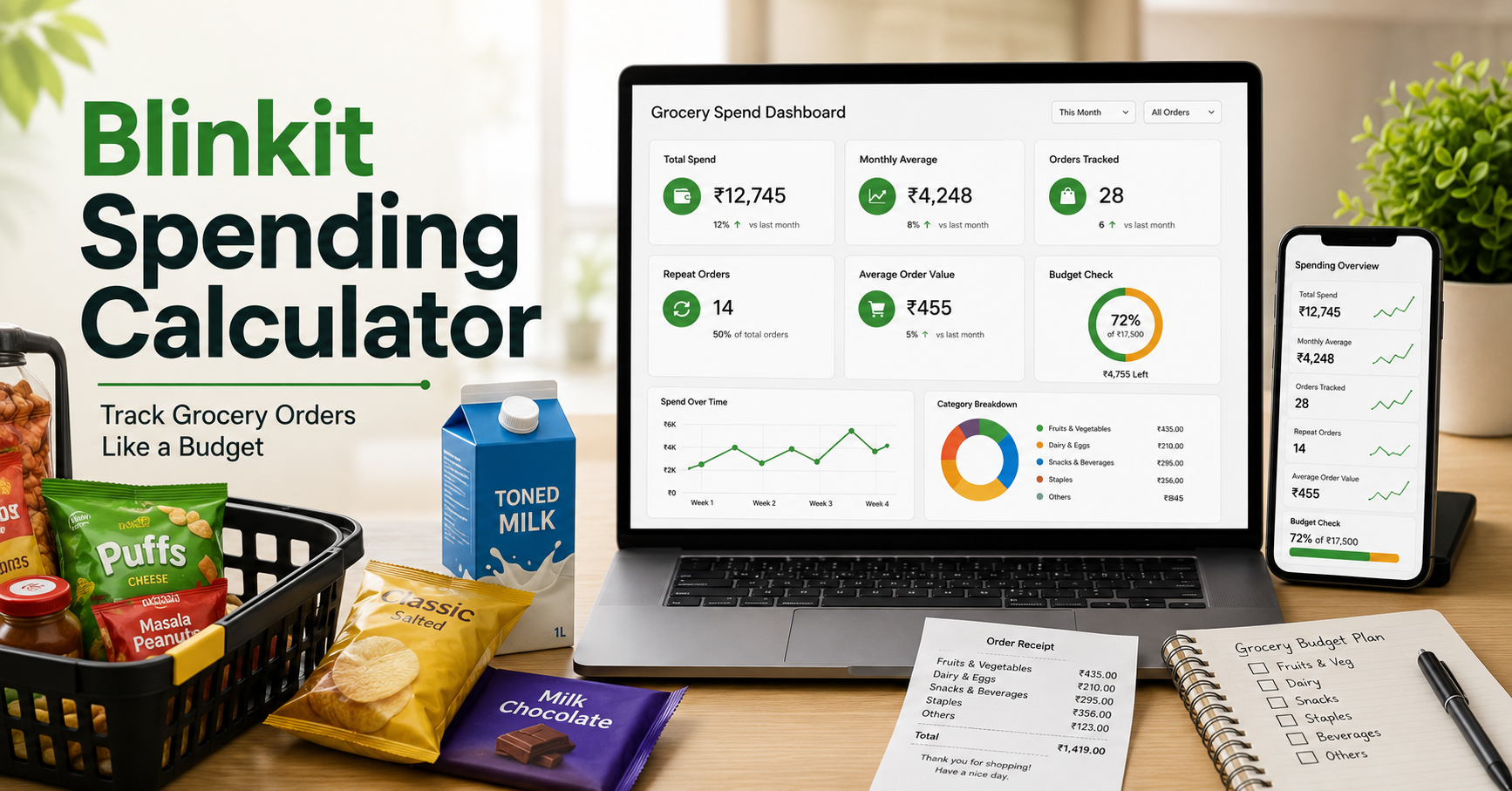
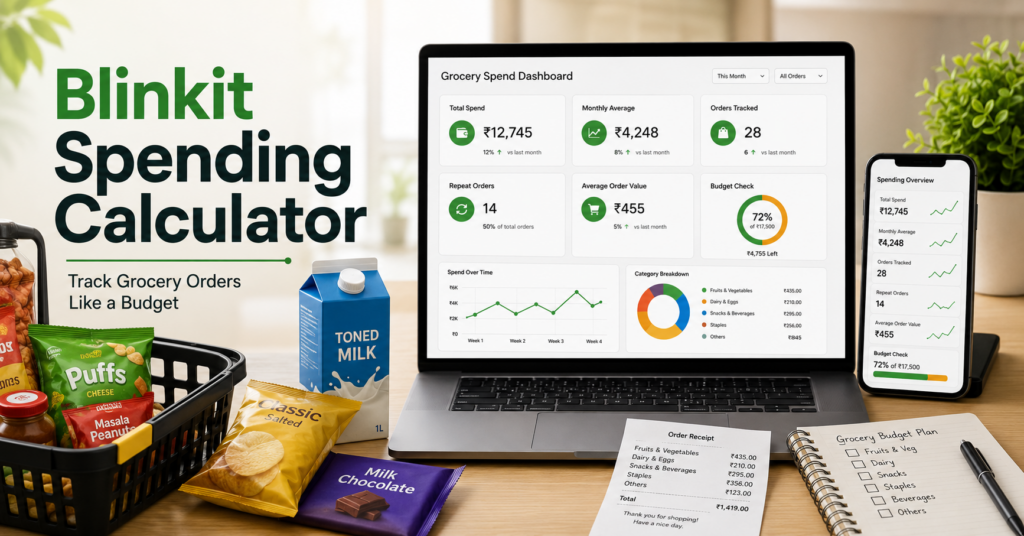
A Blinkit spending calculator helps you estimate how much you spend on grocery orders by checking total spend, monthly average, order count, repeat items, and average order value. If you already track food orders too, start with Fooddy’s food delivery spending calculator guide for a broader budget view.
Blinkit makes grocery shopping fast.
That is exactly why the spending can go unnoticed. Small quick orders, repeat top-ups, and convenience buying can quietly turn into a large monthly number.
This guide shows how to use a Blinkit spending calculator properly, what should count in your grocery spend, and how to turn order history into a practical budget check.
Total
See your overall Blinkit grocery spend clearly.
Month
Monthly average shows your grocery habit better.
Repeat
Repeat orders reveal convenience-led spending.
Note: Final spend can differ depending on cancellations, refunds, replacement items, delivery charges, handling fees, and whether older order history is fully visible.
Table of Contents
What Does a Blinkit Spending Calculator Show?
A good Blinkit spending calculator should show more than just one total.
- Total Blinkit spend
- Monthly average grocery spend
- Total orders placed
- Average order value
- Repeat items or repeat order behavior
- Refunded or cancelled orders
- Delivery and handling fee impact
Best use case
Use total spend for the big picture, monthly spend for budget control, and average order value to understand whether frequent top-ups are costing you more.
How to Check Your Blinkit Spending
The cleanest method is to review Blinkit order history and calculate your final paid amounts.
Open Blinkit order history
Start with your delivered orders and make sure older orders are visible before assuming the total is complete.
Use final paid amount
Do not count only item value. Your real Blinkit spend includes delivery, handling, taxes, and adjusted discounts.
Separate monthly totals
Monthly view is more useful than one big number because it shows whether quick grocery orders are becoming a habit.
Review average order value
This helps you understand whether overspending comes from large carts or too many small convenience orders.
If you also track restaurant apps, Fooddy’s Zomato order history calculator guide shows a similar order-history approach.
What Should Count in Blinkit Spend?
The most common mistake is counting only grocery item prices. Your real spend is usually the final amount you paid.
| Spend Item | Why It Matters | Include? |
|---|---|---|
| Final paid amount | This shows real money spent. | Yes |
| Delivery fee | Small fees add up quickly over many orders. | Yes |
| Handling fee | Often ignored during manual checking. | Yes |
| Taxes | Part of final payment. | Yes |
| Discounts | Use post-discount spend to avoid overcounting. | Adjust |
| Refunded or cancelled orders | These can distort your total. | Review carefully |
Turn Blinkit Orders Into a Grocery Budget Audit
A Blinkit spending calculator becomes useful when it helps you understand your shopping habit, not just your total.
Monthly average
This tells you whether Blinkit is a convenience tool or a recurring grocery budget category.
Repeat items
Repeated milk, snacks, drinks, instant food, or household top-ups often show where the budget keeps leaking.
Average order value
A low average order value with a high order count often means too many quick top-up orders.
Convenience cost
Delivery and handling charges may quietly raise your total even when individual carts look small.
Blinkit Spend vs Food Delivery Spend
Many users track Swiggy or Zomato but ignore Blinkit, even though quick-commerce spending can become just as frequent.
For comparison, read Fooddy’s Zomato money spent calculator, Zomato spending calculator mobile, Swiggy spending calculator on mobile, and calculate Swiggy spending guides.
Common Mistakes While Checking Blinkit Spend
Mistake 1: Counting only item prices
Your real Blinkit spend includes final payment, not just cart value.
Mistake 2: Ignoring frequent small orders
Small convenience orders can add up faster than one big weekly grocery order.
Mistake 3: Ignoring refunds or replacements
Cancelled items, replacements, or refunds can make totals inaccurate if not reviewed.
Mistake 4: Looking only at total spend
Monthly spend, average order value, and repeat items usually tell a more useful story than one big total.
Fooddy Tip
Blinkit spend looks small order by order, but monthly average, order count, and repeat top-up items usually reveal the real grocery habit.
FAQs
What is a Blinkit spending calculator?
It is a method or tool that helps estimate your Blinkit grocery spend using order history, total spend, monthly average, and order value insights.
How can I check my Blinkit spending?
Open your Blinkit order history, review final paid amounts, include fees and taxes, adjust refunds, and group your orders by month for a cleaner budget view.
Should Blinkit spending include delivery and handling fees?
Yes. A realistic Blinkit spend total should include delivery charges, handling fees, taxes, and adjusted discounts.
Why is monthly Blinkit spend more useful than total spend?
Monthly spend helps you manage grocery habits better because it shows whether quick-commerce orders are becoming a regular budget pattern.
Why does Blinkit spend feel lower than it actually is?
Because many users place small convenience orders. The amounts look small individually, but repeated orders, fees, and top-ups can add up fast.
Can I compare Blinkit spending with Zomato and Swiggy spending?
Yes. Comparing Blinkit with Zomato and Swiggy gives a much clearer picture of your total convenience-spend and delivery-based lifestyle budget.
Conclusion
A Blinkit spending calculator is useful because it turns quick grocery orders into a clear budget picture.
The most helpful view is not only total spend. Monthly average, order count, repeat items, average order value, fees, and refunds together show what your Blinkit habit really looks like.