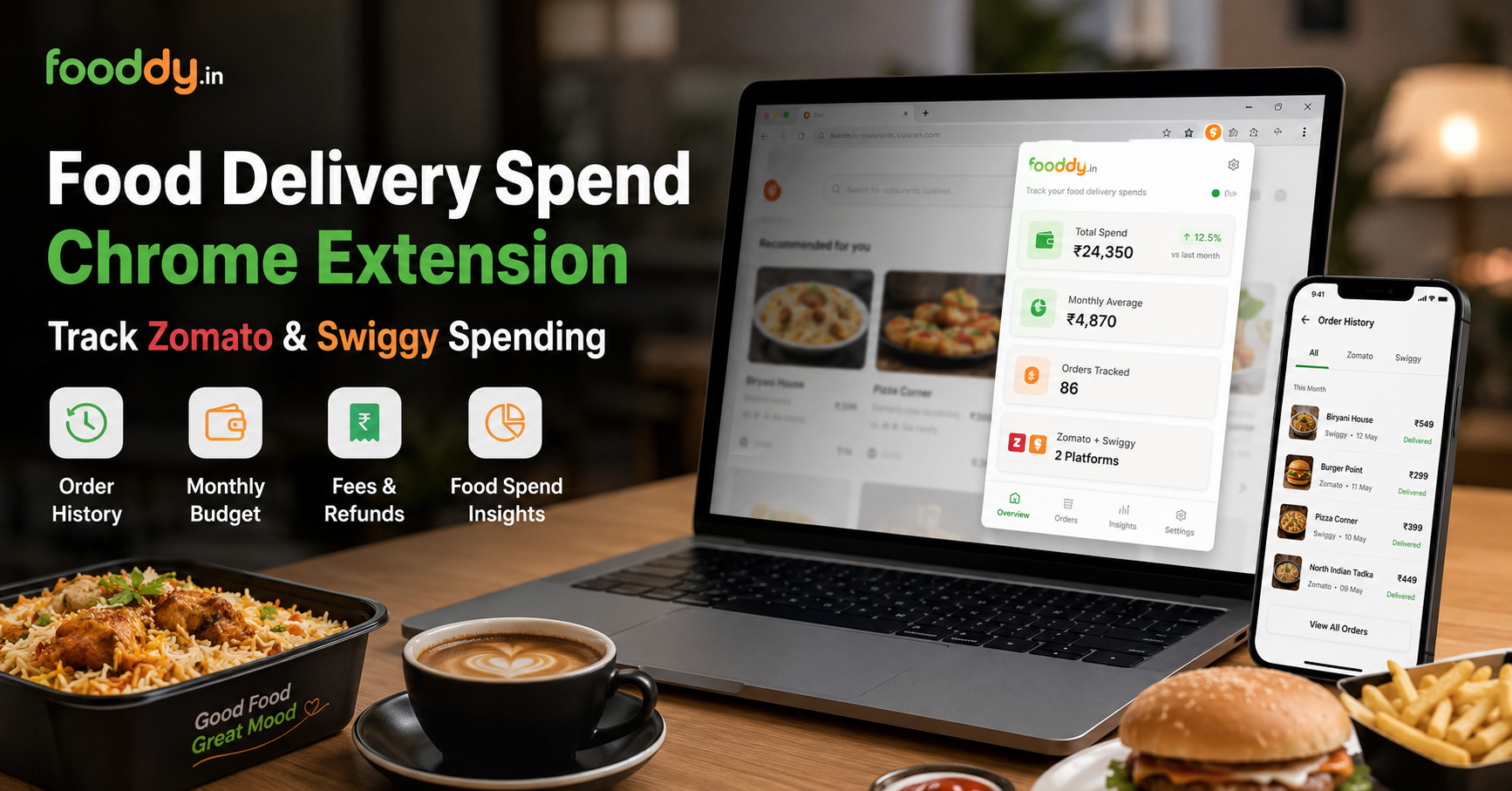
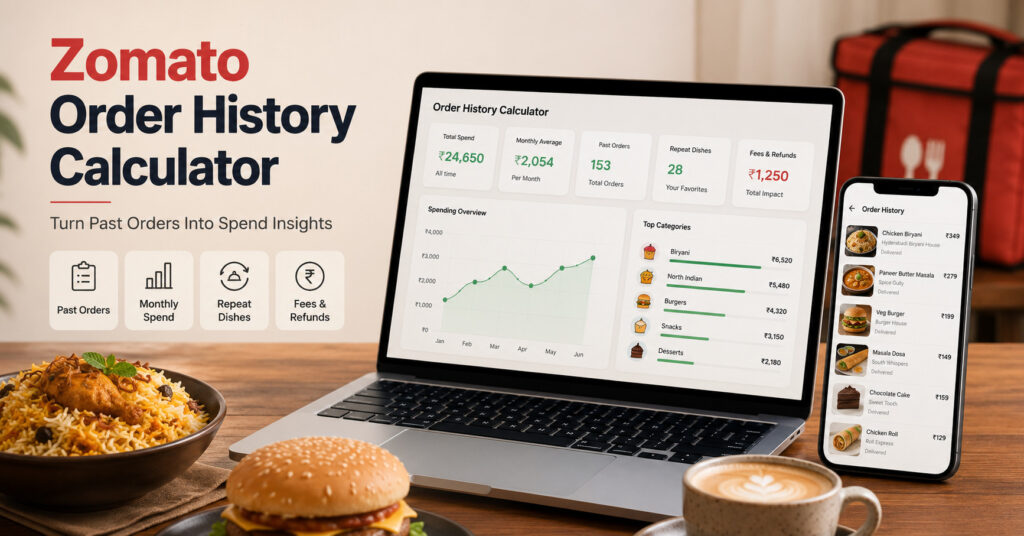
Zomato order history calculator helps you turn past orders into useful spend insights, not just one big total. For a full Zomato + Swiggy view, start with Fooddy’s food delivery spending calculator.
Quick Answer
- Open your Zomato order history.
- Load older orders properly.
- Use Fooddy to calculate spending faster.
- Check final paid amount, not only menu price.
- Review repeat dishes, fees, taxes, refunds, and group orders.
- Use monthly average to understand your real food habit.
What Is a Zomato Order History Calculator?
A Zomato order history calculator checks your past Zomato orders and helps calculate how much you spent on food delivery.
But the real value is not only total spend.
- How often do you order?
- Which dishes do you repeat?
- Which month was expensive?
- Are delivery fees increasing your bill?
- Are refunds or cancelled orders affecting the total?
Simple meaning
Your Zomato order history is not just a list of meals. It is a record of your food spending habit.
How to Calculate Spend From Zomato Order History
Step 1: Use the correct account
Log in with the phone number or email where most Zomato orders were placed.
Step 2: Open order history
Go to your past orders. This is where your food delivery spend data starts.
Step 3: Load older orders
Do not calculate too early. If old orders are missing, your total will be incomplete.
Step 4: Use Fooddy
Fooddy helps calculate your Zomato spending faster without manually adding every bill.
Step 5: Review insights
Check total spend, monthly average, order count, repeat dishes, and possible refund confusion.
If you are checking from your phone, read Fooddy’s Zomato spending calculator on mobile guide because mobile order history can be harder to load fully.
What Spend Insights Should You Check?
Total spend is only the first number. These insights are more useful for budget planning.
| Insight | Why It Matters |
|---|---|
| Total spend | Shows your overall Zomato food delivery cost. |
| Monthly average | Best number for setting a realistic food budget. |
| Order count | Shows whether frequency is the real spending problem. |
| Average order value | Helps you see whether each order is getting costlier. |
| Repeat dishes | Reveals cravings that quietly become regular expenses. |
| Fees and taxes | Final bill is often higher than the menu price. |
For monthly habit tracking, also check Fooddy’s Zomato money spent calculator guide.
Manual Order History Check vs Fooddy
| Method | Best For | Problem |
|---|---|---|
| Manual addition | Few recent orders | Slow and easy to miss old bills. |
| Bank statement | Payment-level checking | Does not show dishes or order patterns clearly. |
| Fooddy | Fast Zomato and Swiggy spend insights | Order history must be loaded properly. |
Example: Turning Order History Into a Food Budget
- Total orders this month: 14
- Average order value: ₹350
- Monthly Zomato spend: ₹4,900
- Repeat dish: Biryani, 5 orders
- Budget action: Limit repeat orders to 2 per month
This is why order history matters. It shows the habit behind the money.
Why Repeat Orders Matter
Repeat orders are usually the hidden spending pattern.
- One repeated snack can cost more than one big dinner.
- Desserts and drinks look small but add up quickly.
- Late-night food often includes higher fees or impulse add-ons.
- Comfort foods become budget leaks when ordered too often.
If you enjoy food trend insights, read Fooddy’s most ordered desserts by Indians guide.
Common Mistakes With Zomato Order History Calculations
Mistake 1: Not loading older orders
If old orders are missing, your spend total will be lower than reality.
Mistake 2: Using only menu price
Final paid amount includes delivery fee, taxes, packaging, platform charges, and tips.
Mistake 3: Ignoring refunds
Cancelled or refunded orders can make your actual spend different from order totals.
Mistake 4: Counting group orders as personal spend
Office, family, or hostel group orders can inflate your personal food delivery cost.
Should You Compare Zomato Order History With Swiggy?
Yes, if you use both apps.
- Zomato may be your dinner app.
- Swiggy may be your snack app.
- One app may have more impulse orders.
- Both together show your real food delivery budget.
For Swiggy checking, read Fooddy’s Swiggy spending calculator on mobile guide.
How to Use Zomato Order History for a Better Food Budget
- Set a weekly cap: Weekly limits are easier to follow than monthly promises.
- Limit repeat dishes: Your top repeated dish should have a monthly limit.
- Check final bill: Discount does not always mean low total cost.
- Avoid tiny orders: Delivery and platform fees make them expensive.
- Separate group orders: Do not treat shared orders as personal spend.
- Review once a month: Make it a quick food budget habit.
Use Fooddy to Turn Orders Into Insights
Fooddy helps you check Zomato and Swiggy spending, understand repeat orders, and turn food delivery history into clear budget insights.
FAQs
What is a Zomato order history calculator?
It is a tool that helps calculate spending from your past Zomato orders and shows useful food delivery insights.
How do I calculate Zomato spending from order history?
Open your Zomato order history, load older orders, and use Fooddy to calculate total spend and review order patterns.
Why is my Zomato order history total incomplete?
Your total may be incomplete if older orders are not loaded, you used another account, or some orders are missing from visible history.
Should I include fees and taxes?
Yes. Use final paid amount because delivery fees, taxes, platform charges, packaging, and tips are part of your real cost.
Is order history better than bank statement for food insights?
Yes, for food habits. Bank statements show payment, but order history shows dishes, restaurants, frequency, and patterns.
Can Fooddy check Swiggy order history too?
Yes. Fooddy is useful for checking food delivery spending across both Zomato and Swiggy.
Conclusion
A Zomato order history calculator helps you do more than find a total number.
Use Fooddy to turn old orders into spend insights: monthly average, repeat dishes, fees, refunds, group orders, and food budget patterns. That is how your order history becomes useful, not just surprising.