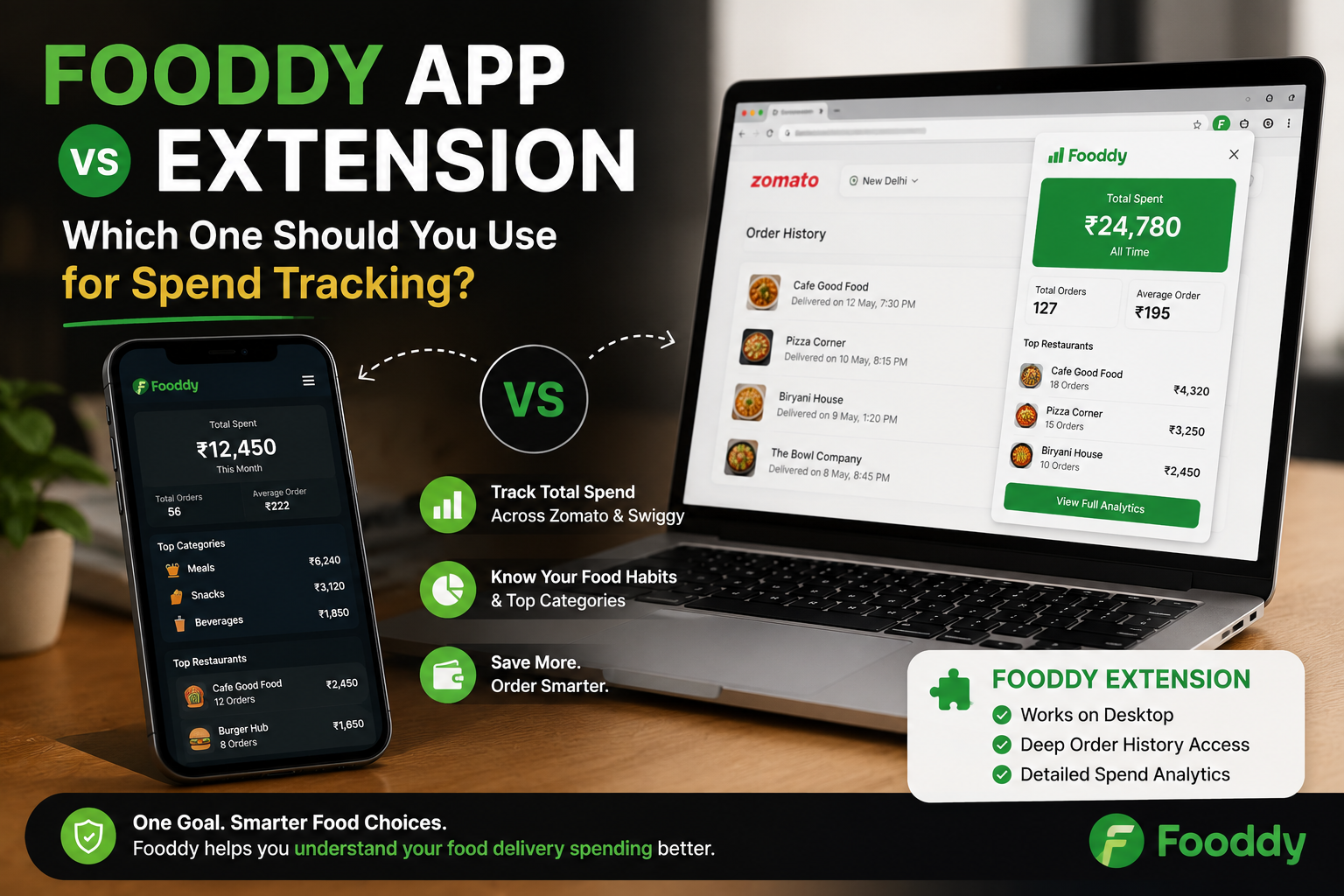
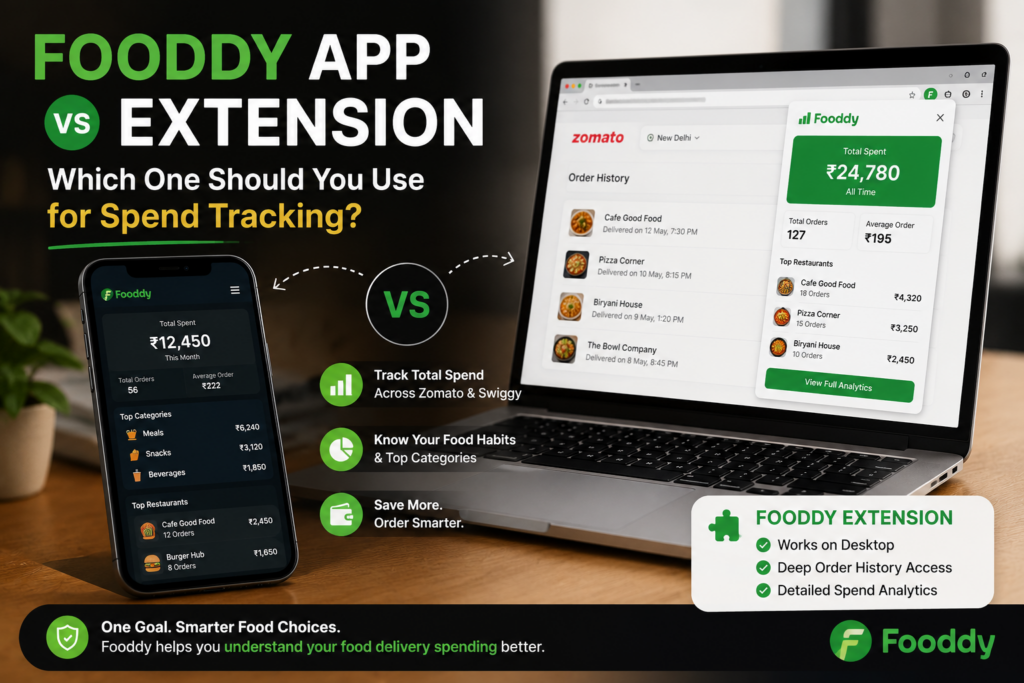
Searching for the Fooddy app? The direct answer is simple: Fooddy is mainly used as a Chrome extension for checking Zomato and Swiggy spending. For the full spend-tracking method, start with Fooddy’s food delivery spending calculator guide.
Quick Answer
- Use the Fooddy extension if you want easier Zomato and Swiggy spend tracking.
- Use mobile only for basic checking, because order history may be harder to load fully.
- The extension is better for total spend, repeat dishes, and monthly food budget checks.
- If you search “Fooddy app”, you probably need the Fooddy Chrome extension.
- Best use: desktop browser + logged-in Zomato/Swiggy account + loaded order history.
Fooddy App or Extension: Which One Should You Use?
Use the Fooddy extension if your goal is accurate food spend tracking.
Why?
- It works better with Zomato and Swiggy order history on desktop.
- It helps calculate total food delivery spend faster.
- It can make repeat dishes and monthly spending easier to understand.
- It avoids the pain of adding every order manually.
Simple rule
If you want to order food, use Zomato or Swiggy. If you want to understand how much you spent on food, use Fooddy.
Fooddy App vs Extension: Quick Comparison
| Option | Best For | What to Know |
|---|---|---|
| Fooddy Extension | Zomato and Swiggy spend tracking | Best for desktop browser and full order-history checks |
| Fooddy App Search | Users looking for Fooddy on mobile | You may actually need the Chrome extension, not a separate app |
| Manual Tracking | Very few orders | Slow if you order often |
| Bank Statement Check | Payment-level expense audit | Does not show dishes, restaurants, or order patterns clearly |
Who Should Use the Fooddy Extension?
The Fooddy extension is useful if you want answers like:
- How much did I spend on Zomato?
- How much did I spend on Swiggy?
- Which dishes do I order again and again?
- Is my monthly food delivery cost increasing?
- Am I spending too much on snacks, desserts, or late-night orders?
Best for these users
- Students tracking pocket-money food orders
- Office workers ordering lunch often
- Families checking monthly delivery cost
- People comparing Zomato vs Swiggy spend
- Anyone who wants a food budget without spreadsheets
Can You Use Fooddy on Mobile?
Mobile can work for basic checking, but desktop is usually better for complete spend tracking.
Why mobile can be tricky:
- Order history may not load fully.
- Older orders can be harder to access.
- Browser extension support is limited on normal mobile browsers.
- Large order histories are easier to review on desktop.
For mobile-specific help, read these Fooddy guides:
How to Use Fooddy for Spend Tracking
Step 1: Install Fooddy
Add the Fooddy extension to your browser and pin it for quick access.
Step 2: Open Zomato or Swiggy
Log in with the same account you normally use for ordering food.
Step 3: Load order history
Scroll and load older orders if you want a more complete total.
Step 4: Analyze spending
Use Fooddy to check total spend, order patterns, and repeat food habits.
Common Mistakes Users Make
Mistake 1: Searching for an app when they need the extension
If your goal is Zomato or Swiggy spend tracking, the extension is usually the right starting point.
Mistake 2: Not loading older orders
Incomplete order history can make your total look lower than your real food spend.
Mistake 3: Using the wrong account
If your Zomato or Swiggy orders are split across numbers or emails, one account will not show the full picture.
Mistake 4: Looking only at total spend
Total spend is useful, but repeat dishes, monthly patterns, and order frequency tell the real story.
Food Spend Tracking Tips
- Check monthly average: It is more useful than lifetime spend for budgeting.
- Compare apps: Zomato and Swiggy spending together show your real delivery habit.
- Review repeat dishes: One comfort food can become a big monthly cost.
- Separate group orders: Office or hostel group orders can inflate personal spend.
- Use alternatives for daily meals: Keep delivery for planned orders, not every meal.
If food delivery is becoming a daily habit, compare it with options like top tiffin services in Bangalore or budget-friendly cafes in Bangalore.
Fooddy App vs Extension: Final Recommendation
| If You Want… | Use This |
|---|---|
| Fast Zomato/Swiggy spending check | Fooddy extension |
| Complete order-history review | Desktop browser + Fooddy extension |
| Quick mobile check | Mobile guide + order history review |
| Manual bill audit | Spreadsheet or bank statement |
Use Fooddy to Understand Your Food Spend
Fooddy helps you check Zomato and Swiggy spending, understand repeat dishes, and make your food delivery budget easier to manage.
FAQs
Is Fooddy an app or extension?
Fooddy is mainly used as a Chrome extension for tracking Zomato and Swiggy food delivery spending.
Which is better for spend tracking: Fooddy app or extension?
The Fooddy extension is better for spend tracking because it works with food delivery order history on desktop.
Can I use Fooddy on mobile?
Mobile checking can be limited. For a more complete spending calculation, desktop browser usage is usually better.
Does Fooddy work for both Zomato and Swiggy?
Yes. Fooddy is useful for users who want to check food delivery spending across Zomato and Swiggy.
Why is my Fooddy total not complete?
Your total may be incomplete if old orders were not loaded, you used the wrong account, or orders are split across different phone numbers.
Should I use Fooddy or bank statements?
Use Fooddy for food-order patterns and spending insights. Use bank statements only when you need payment-level checking.
Conclusion
If you searched for the Fooddy app, the best option for food spend tracking is usually the Fooddy extension.
Use it on desktop, load your Zomato or Swiggy order history properly, and check total spend, repeat dishes, and monthly patterns before your food budget gets confusing.