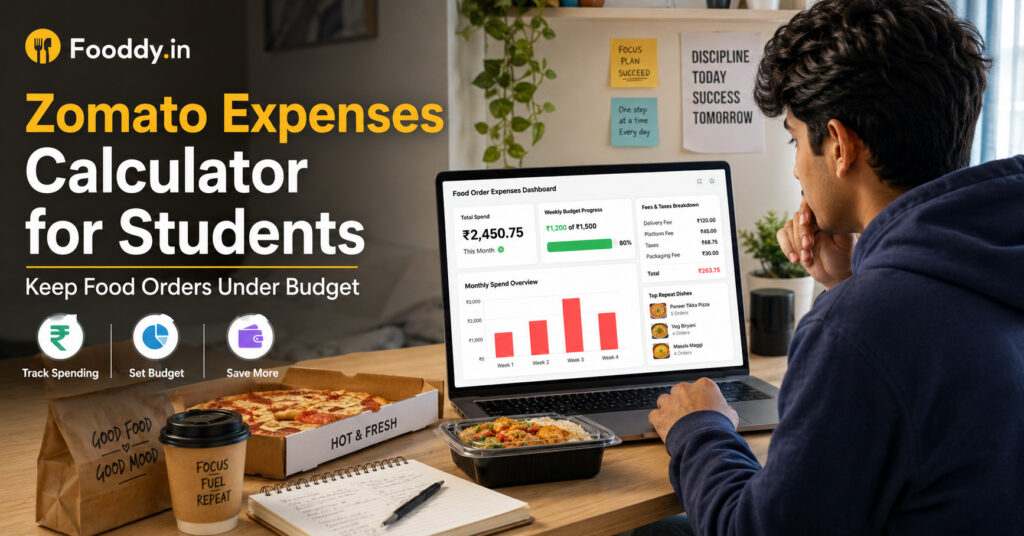
This guide keeps things simple: how to check your Zomato expenses, how to set a student-friendly food budget, and how Fooddy helps you track orders, fees, taxes, and repeat dishes without manually adding every bill.
Quick Answer
- Use a Zomato expenses calculator to check your total food delivery spend from order history.
- Students should track weekly spend, not only lifetime spend.
- Include delivery fees, platform fees, taxes, packaging charges, tips, and repeat dishes.
- Fooddy helps you track Zomato and Swiggy spending, top dishes, and monthly patterns.
- Best student rule: set a weekly food delivery limit before ordering, not after seeing the month-end total.
What Is a Zomato Expenses Calculator?
A Zomato expenses calculator is a tool that checks your Zomato order history and shows how much you have spent on food delivery. Instead of opening every order and adding the total manually, the calculator gives you a clearer view of your food costs.
For students, this is useful because food delivery spending is usually irregular. Some weeks are normal. Some weeks go out of control because of exams, hostel cravings, group orders, late-night snacks, or “just one more order” offers.
If you want a broader view of food delivery expenses across apps, you can also read Fooddy’s food delivery spending calculator guide.
Why Students Should Track Zomato Expenses
Students usually do not overspend because of one big order. The bigger problem is frequency. A ₹199 snack, ₹349 meal, ₹99 dessert, and ₹60 drink may not feel serious at the moment. But if this repeats many times a month, the total becomes real.
Student Reality Check
If your average order is ₹300 and you order 12 times a month, that is ₹3,600 per month. In one semester, that can become more than ₹18,000 just on food delivery.
A calculator helps you answer the questions that matter:
- How much did I spend this month?
- Which dish do I order too often?
- Am I spending more during exams or weekends?
- Are delivery fees and taxes increasing my final bill?
- Should I switch some meals to tiffin, mess food, or budget cafes?
How to Check Zomato Expenses with Fooddy
Fooddy makes Zomato and Swiggy spending easier to understand. It helps you check total spending, most ordered dishes, and monthly patterns, so you can control food delivery without creating a complicated spreadsheet.
Step 1: Install Fooddy
Add the Fooddy extension to your browser and pin it, so you can quickly access the spending calculator when you open Zomato.
Step 2: Log in to Zomato
Use the same account you normally order from. If you use different numbers or email accounts, your full spending may be split.
Step 3: Open Order History
Go to your order history and load older orders. If older orders are not loaded, the result may look lower than your actual spend.
Step 4: Analyze Spending
Use Fooddy to calculate your total expenses and review what you order most often. Do not only check the total — look at habits too.
If you mostly use your phone, check this guide on Zomato spending calculator on mobile to understand mobile limitations and order-history issues.
Student Zomato Budget Table: What Limit Should You Set?
There is no perfect food delivery budget for every student. It depends on your pocket money, hostel food, mess quality, class schedule, and city. But you can use this table as a practical starting point.
| Student Type | Suggested Weekly Limit | Best Use |
|---|---|---|
| Hostel student with mess food | ₹400–₹800 | Weekend snacks or one planned meal |
| PG student without regular meals | ₹800–₹1,500 | Backup meals when cooking is not possible |
| College student with part-time income | ₹1,000–₹2,000 | Planned orders, group meals, and occasional treats |
| Exam-week ordering | Set a fixed temporary cap | Avoid stress-ordering every night |
Use this only as a guide. The smarter rule is simple: calculate last month’s Zomato expenses first, then reduce it slowly instead of setting an unrealistic limit.
What Should Students Track Besides Total Spend?
Total spend is important, but it does not tell the full story. Students should also track the small details that push a normal order above budget.
| Expense Item | Why It Matters |
|---|---|
| Delivery fee | Can make small orders expensive. |
| Platform fee | Looks small per order but adds up with frequency. |
| Taxes and packaging | Increase the final bill beyond the menu price. |
| Repeat dishes | Shows which cravings are taking most of your budget. |
| Refunded or cancelled orders | Can make totals confusing if not checked properly. |
Common Mistakes Students Make While Ordering on Zomato
Mistake 1: Checking only the food price
A ₹199 item is not always a ₹199 order. Always check the final payable amount after fees, taxes, and delivery charges.
Mistake 2: Ordering because there is a coupon
A discount is useful only if you already needed the order. If the offer creates a new order, it may still increase spending.
Mistake 3: Not separating group orders
If you ordered for friends and they paid you later, your Zomato history may still show a higher total. Keep group orders separate mentally.
Mistake 4: Ignoring late-night orders
Late-night cravings often have fewer budget-friendly options and can become a repeated spending pattern.
Practical Tips to Keep Zomato Orders Under Budget
- Set a weekly limit: Weekly tracking works better for students than monthly tracking because pocket money gets spent quickly.
- Plan two delivery days: Choose fixed days for ordering instead of ordering whenever cravings hit.
- Check final bill first: Compare the payable amount, not just the menu price.
- Avoid tiny orders: Small orders often become costly after delivery and platform fees.
- Use tiffin or budget cafes for regular meals: Keep Zomato for treats, not every meal.
- Track repeat dishes: If one dish appears too often, limit it to once or twice a month.
If you are in Bangalore and want cheaper eating options outside food delivery, check these guides on budget-friendly cafes in Bangalore and top tiffin services in Bangalore.
Zomato vs Swiggy: Students Should Compare Both
Many students do not use only one food app. You may order biryani from Zomato, snacks from Swiggy, and desserts depending on offers. That means checking only Zomato may not show your full food delivery budget.
After checking Zomato expenses, compare it with Swiggy too. Fooddy can help you understand spending across both platforms, so you know whether your real problem is one app, one food habit, or overall food delivery frequency.
For Swiggy-specific tracking, read Fooddy’s guide on the Swiggy spending calculator on mobile.
Use Fooddy Before Your Food Budget Disappears
Fooddy helps students check Zomato and Swiggy expenses, find repeat dishes, and understand food delivery habits before the month-end shock.
FAQs
What is the best Zomato expenses calculator for students?
Fooddy is a useful option for students because it helps track Zomato and Swiggy spending, total expenses, and repeat dishes in a simple way.
How can students check Zomato expenses?
Students can log in to Zomato, open order history, load older orders, and use Fooddy to calculate total spending and review order patterns.
Why does my Zomato spend look higher than expected?
Your total may include delivery fees, platform fees, taxes, packaging charges, tips, and frequent small orders that you forgot about.
Should students track weekly or monthly food delivery spend?
Weekly tracking is usually better for students because pocket money and daily expenses move quickly. Monthly tracking is useful for long-term patterns.
Can Fooddy show repeat dishes?
Yes. Fooddy helps users understand frequently ordered dishes, which is useful for spotting cravings that repeatedly take money from the food budget.
Can I use the same method for Swiggy?
Yes. If you order from both Zomato and Swiggy, checking both gives a more accurate picture of your total food delivery expenses.
Conclusion
A Zomato expenses calculator is not just for seeing a big lifetime number. For students, it is a simple way to protect pocket money, understand food habits, and stop small orders from becoming a serious monthly expense.
Use Fooddy to check your Zomato and Swiggy spending, review repeat dishes, and set a weekly food delivery limit that actually fits your student life.