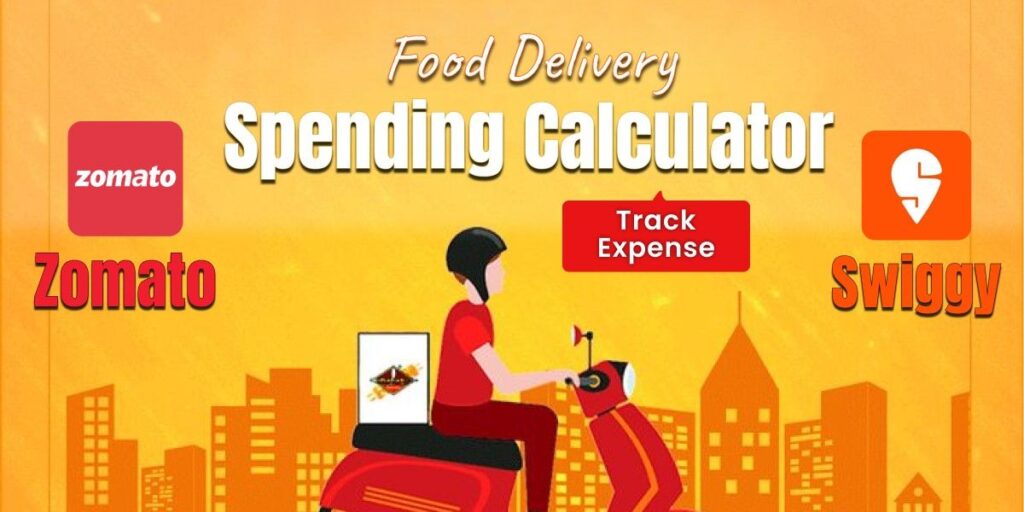
Food delivery is built for convenience, and apps like Zomato and Swiggy make it effortless to order anytime. The downside is that small, frequent orders can quietly turn into a big monthly habit. If the goal is to control food delivery costs, a Food Delivery Spending Calculator is the fastest starting point—checking a Zomato spending calculator on mobile (or desktop) and reviewing the same kind of summary for Swiggy.
This guide keeps the existing structure and explains how budget tracking tools and spending calculators work, how to check totals, and how tools like Fooddy can simplify tracking across platforms.
Quick answer: This post explains how to estimate your Zomato total spend and Swiggy total spend using order history and spending calculators, plus how Fooddy app and Fooddy extension help track food delivery budgets in 2026.
Explaining Food Delivery Spending

Food delivery has changed the way people eat. Instead of planning meals, many users now order multiple times a week—sometimes multiple times a day—because the friction is low and the choices are endless.
The problem is that convenience can hide the true cost. Many people only realize how much they spent when they see the month-end total, and by then the pattern is already locked in.
- The ease of food delivery apps has increased usage and ordering frequency.
- Convenience can turn into “unchecked spending” when totals aren’t visible day-to-day.
- Understanding personal food-delivery spending habits is the first step toward budget management.
Also Read – Swiggy Spending Calculator on Mobile
Introducing Zomato and Swiggy Spending Calculators
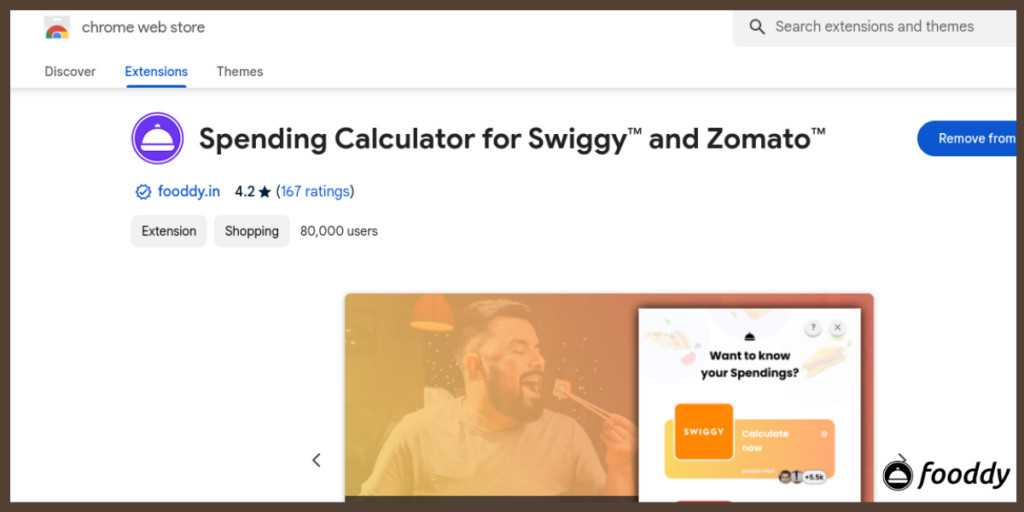
A Zomato spending calculator and similar tools for Swiggy exist for one simple reason: most users don’t track food delivery like a real budget category, even though it behaves like one. Spending calculators help convert scattered order history into something readable—totals, trends, and patterns.
These tools are useful whether someone is trying to cut spending, plan a weekly limit, or just understand habits. Many users specifically search for a spending calculator for Zomato because they want a quick summary without manually adding up dozens of orders.
- What they do: A spending calculator reviews order history and calculates totals across time ranges (monthly, yearly, or lifetime).
- Mobile support: Many users look for a Zomato spending calculator Android option or a Zomato spending calculator on mobile because food ordering usually happens on phones.
- What you typically get: Spending breakdowns, trend patterns, and simple budgeting insights, including a clear view of Swiggy total spend and Zomato totals when available.
How To Get The Spending Calculator For Zomato And Swiggy
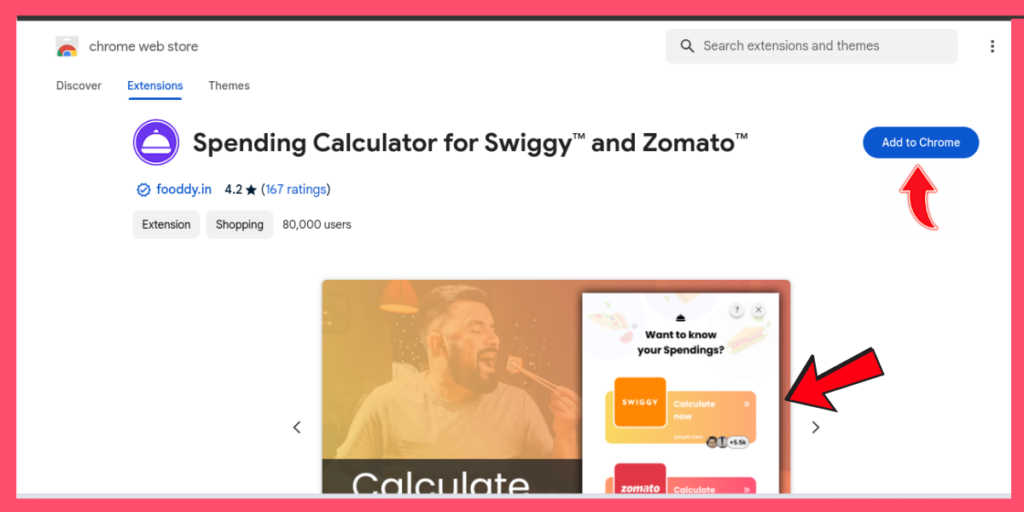
Most spending calculators follow the same flow: sign in, open order history, allow the tool to read totals, and review the breakdown. The biggest difference is device behavior—desktop often loads more order history than mobile, which can affect totals.
A simple rule makes results more accurate: make sure older orders are loaded properly before expecting a full total.
- Get your spending history, review patterns, and set personal spending limits.
- Use mobile-friendly options when needed, especially if you’re searching for a Zomato spending calculator on mobile.
- On Android, many users prefer a Zomato spending calculator Android setup because it matches their primary ordering device.
Related – Spending Calculator for Zomato in Mobile
Value of Using Spending Calculators

Spending calculators do more than show a number. They make spending visible in a way that encourages better decisions—without forcing users to give up the convenience of delivery.
Key Benefits
- Identify ordering patterns (frequency, time-of-day triggers, and “repeat cravings”).
- Spot overspending early and adjust before the month ends.
- Build a realistic weekly or monthly food delivery plan.
- Track spending over time and measure improvement when habits change.
- Compare spend across apps if you use both services, including your Swiggy total spend alongside Zomato totals.
How to Check Zomato Lifetime Spending and Swiggy Total Spend
This is the section most people care about because it answers the real questions:
- “How much have I actually spent?”
- “How to find Swiggy total spend?”
- “Where do I see my lifetime total?”
The exact interface can change, but the practical approach stays the same: open order history, access a spending view (built-in or tool-based), and review totals by time range.
Steps To Check Zomato Total Spending
Below are the steps on how to check Zomato spending:
- Step 1: Log in to your Zomato account.
- Step 2: Open your order history and ensure older orders are loaded (scroll to load more if needed).
- Step 3: Access the Zomato spending calculator (or the spending summary tool you’re using).
- Step 4: View your total expenses—monthly, yearly, or lifetime—based on what the tool supports.
- Step 5: Use the breakdown to identify high-spend months, frequent ordering days, and common triggers.
- “On Android/iPhone, open the Zomato app → Profile/Account → Orders (order history).”
Steps To Check Swiggy Spending
If you’re searching how to find Swiggy total spend, the goal is to calculate totals from your Swiggy order history using an available spending view or a tool that summarizes it.
- Step 1: Sign in to your Swiggy account.
- Step 2: Open your order history and scroll to load older orders for a more complete total.
- Step 3: Use a spending calculator view (or a tool-based summary) to evaluate your spending by time range.
- Step 4: Review your Swiggy total spend and compare it month-to-month to spot spikes.
- Step 5: Use the insights to set a weekly limit and reduce impulse ordering.
- “In the Swiggy app → Profile → Orders (order history) → scroll to load older orders.”
Totals can vary depending on whether old orders load fully, whether cancelled orders appear, and whether refunds are reflected. For the most reliable view, load older orders and compare month-by-month
Comparison Block for (Manual vs Calculator vs Fooddy)
- Manual tracking (notes/excel) = most control, most effort
- Spending calculator = fast summary, less detail
- Fooddy/Fooddy extension = ongoing tracking + patterns
Budgeting Using The Fooddy App Is Feasible
Built-in summaries are useful, but many users want a clearer breakdown, easier month-wise tracking, and a more direct spending view across food delivery apps. That is where Fooddy can help.
Fooddy.in offers a focused way to track food delivery spending and understand habits in one place. If you use multiple platforms, this can be easier than jumping between app histories and manually calculating totals.
Features of Fooddy App
- Works as a budgeting companion for food delivery spending, especially for users who order frequently.
- Helps track spending patterns across platforms for better cost control.
- Provides breakdowns and trend-style insights so users can see what is driving spending.
- Makes it easier to review totals and improve decisions without losing convenience.
- If you prefer desktop-based tracking, the Fooddy extension can make it easier to review your order history and summaries in a more readable format.
Ways to Cut Down On Food Delivery Expenses
Spending calculators show the truth; habits decide the outcome. Once totals are visible, small changes usually create the biggest difference, especially for users who order frequently.
Key Tips
- Set a weekly or monthly budget for food delivery and treat it like a fixed category.
- Use discounts, coupons, and loyalty programs intentionally, not as an excuse to order more.
- Limit the number of orders each week and plan meals to avoid impulse spending.
- Watch “late-night” or “weekend” spikes, because these are common overspending windows.
- If you use both apps, compare Zomato totals with Swiggy total spend to see where the habit is stronger.
Conclusion for Food Delivery Spending Calculator
Managing food delivery expenses doesn’t need to feel complicated. With the right budget tracking tools, especially a clear Zomato spending calculator, a practical method for how to find Swiggy total spend, and a consistent habit of reviewing monthly totals—you can keep convenience without losing control.
If you want a simpler way to track and review patterns, Fooddy and the Fooddy extension can help make food delivery spending easier to understand, month by month, without manual calculations.