Status · Bank Processing · Official Escalation
Quick Answer
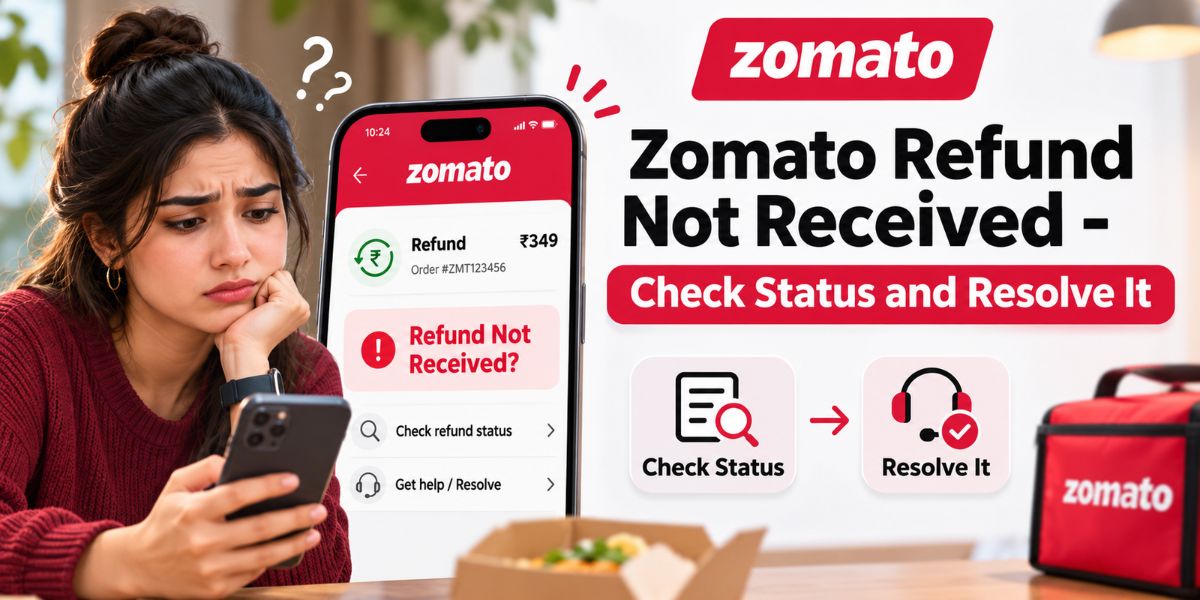
If your Zomato refund is not received, first confirm whether the refund was actually approved or initiated. Then check the original payment method and contact Zomato through the app’s Support or Online Ordering Help section if the amount is still missing.
- Do not assume every cancelled or disputed order automatically qualifies for a refund.
- Eligible refunds generally go back through the same payment method unless Zomato gives credits.
- Zomato does not publish one universal bank-refund timeline for all food orders.
- Keep your order ID, payment proof and refund confirmation ready.
- If normal support does not resolve the issue, use Zomato’s official grievance escalation process.
How Fooddy Helps
Keep Refunded and Cancelled Orders From Confusing Your Food Spending
Fooddy’s Zomato Spending Calculator helps you review Zomato order history and understand how much you are actually spending over time.
That becomes useful when cancelled or refunded orders make your spending history harder to understand.
Fooddy can help you review:
- Total Zomato spending
- Monthly and yearly order patterns
- Past order history
- Frequently ordered dishes
- Orders that may need a refund or cancellation adjustment when calculating real spend
Important: Fooddy does not issue Zomato refunds or replace Zomato customer support. Refund approval and status must be handled through Zomato and your payment provider.
First Check What Kind of Refund Problem You Have
“Refund not received” can describe several different situations.
| Situation | What It Means | What to Do First |
|---|---|---|
| Refund not approved | Support has not confirmed eligibility | Contact Zomato support with evidence |
| Refund initiated but not credited | Zomato says the refund has been sent | Check original payment method and bank |
| Payment deducted but order failed | Payment may require reversal or refund | Check transaction status and contact support |
| Partial refund expected | Only part of the order is disputed | Verify the approved refund amount |
| Refund given as credits | Amount may not return to your bank | Check the credit or balance shown in Zomato |
What Zomato’s Official Refund Policy Actually Says
Zomato’s current Terms of Service contain several points users should understand before escalating a missing refund.
Refunds Are Not Automatically Guaranteed for Every Complaint
Zomato states that replacement, refund or another resolution may depend on the restaurant partner’s permission.
This is why opening a complaint does not necessarily mean a refund has already been approved.
Evidence May Be Required
For complaints involving issues such as:
- Food spillage
- Foreign objects
- Wrong order
- Poor food quality
- Other order-quality problems
Zomato’s terms say customers may be required to share proof before a resolution is provided.
Eligible Refunds Usually Return Through the Original Payment Route
Zomato states that refunds are processed in the same manner in which payment was received, unless the refund is provided as credits.
The final time it takes for the amount to appear depends on the relevant bank’s policy.
How Long Does a Zomato Refund Take?
There is no single official food-order refund timeline that applies to every payment method.
You may see websites claiming fixed timelines such as “3–5 days” or “5–7 working days” for every Zomato refund.
Zomato’s current Terms of Service do not provide that universal payment-method table for ordinary food-order refunds.
Instead, the terms say the amount will reflect according to the policies of the respective bank.
Accuracy note: if the Zomato app or support agent gives you a specific expected date for your refund, use that case-specific date. Do not replace it with a generic timeline from an unofficial website.
Where Should the Refund Appear?
| Payment Method | Where to Check | Timing |
|---|---|---|
| UPI | Bank account and UPI app transaction history | Depends on the bank/payment system for your transaction |
| Debit Card | Bank account/card statement | Depends on the issuing bank |
| Credit Card | Card statement or unbilled transactions | Depends on the card issuer |
| Net Banking | Original bank account | Depends on the bank |
| Zomato Credits | Relevant Zomato credit balance | Check the resolution shown for your specific order |
If support confirms that a refund was sent to your original payment method, compare the amount and transaction carefully. A credit-card refund, for example, may appear differently from a normal incoming bank transfer.
How to Check Your Zomato Refund Status
Step 1 – Open the Zomato App
Use the same Zomato account that was used to place the order.
Step 2 – Find the Relevant Order
Check your order history and identify the exact order connected with the missing refund.
Keep the following details ready:
- Order ID
- Order date
- Total amount paid
- Payment method
- Refund amount expected
If you review your spending regularly, Fooddy’s Zomato money spent calculator guide explains how to load and review older Zomato orders more carefully.
Step 3 – Open Support or Online Ordering Help
Zomato’s official contact page tells users with order problems to use the Support or Online Ordering Help section in the app.
The exact button position can change as the app interface is updated, so follow the current labels shown in your version of the app.
Step 4 – Confirm Whether the Refund Is Approved or Initiated
Do not ask only “Where is my refund?”
Ask support to confirm:
- Whether a refund was approved
- The exact refund amount
- Whether it was sent to the original payment method or credits
- The date on which Zomato initiated it
- Any refund reference number available for the transaction
Step 5 – Check the Bank or Payment App
Once Zomato confirms initiation, check your payment account rather than only checking Zomato.
If the bank cannot locate the credit, ask what refund reference or transaction information it needs to trace the payment.
Payment Deducted but Zomato Order Failed
This is slightly different from a refund after a completed order problem.
Possible situations include:
- The bank shows a debit but the order was never confirmed.
- Zomato did not successfully receive the payment.
- The transaction is still pending.
- The order was cancelled after payment was captured.
Start with the transaction status in your bank or UPI app and the order status in Zomato.
Do not assume every debit is a completed payment received by Zomato. Support and the payment provider may need to trace the transaction separately.
What If Zomato Cancelled the Order?
Zomato’s terms state that there can be cases where Zomato cannot accept or must cancel an order because of reasons such as:
- Technical errors
- Item unavailability
- Restaurant-related issues
- Delivery-related issues
Where payment has already been charged and the customer is eligible for a refund, the applicable amount is reversed.
Eligibility still matters, so check the resolution shown for your specific order rather than assuming every cancellation follows exactly the same outcome.
What If You Cancelled the Order Yourself?
Self-cancellation does not automatically mean you will receive the full order amount back.
Zomato’s terms distinguish between cancellations attributable to Zomato, restaurant or delivery issues and cancellations caused by the customer.
For example, customer-side issues such as incorrect contact information, an incorrect delivery address or being unavailable for fulfilment can affect refund eligibility.
Always confirm the cancellation resolution inside Zomato support before assuming a refund is due.
Wrong Order, Missing Food or Quality Issue
For an order-quality dispute, collect evidence before contacting support.
Useful evidence can include:
- Photo of the delivered items
- Photo of damaged or spilled packaging
- Screenshot of what was ordered
- Screenshot of the bill
- Clear description of the missing or incorrect item
Zomato’s current terms specifically state that proof may be required before resolution for complaints involving wrong orders, spillage, foreign objects and poor quality.
Official Zomato Refund Escalation Process in India
If normal support does not resolve the missing refund, use Zomato’s published grievance process instead of searching for random “Zomato customer care” numbers online.
| Level | Official Channel | What to Do |
|---|---|---|
| 1 | Zomato app chat support | Raise the order-related refund issue first |
| 2 | order@zomato.com | Email the issue and keep the ticket number you receive |
| 3 | 011 41171852 | Use if chat/email has not provided a satisfactory response. Mon–Fri, 9:00 AM–6:00 PM |
| 4 | grievance@zomato.com | Escalate with the ticket number if the previous channels did not resolve the concern |
Zomato’s current terms say complaints sent to order@zomato.com receive a unique ticket number.
If the earlier support channels do not provide a satisfactory response, users can escalate the matter to the Grievance Officer using that ticket reference.
The current terms state that Zomato aims to address a grievance escalation within an estimated 48 hours.
What Information Should You Include in a Refund Complaint?
Keep the complaint factual and easy to verify.
- Your name
- Registered mobile number or email
- Zomato order ID
- Date and approximate time of order
- Amount paid
- Payment method
- Reason for refund
- Date support said the refund was initiated
- Expected refund amount
- Relevant screenshots
- Previous support ticket number
Never email your OTP, UPI PIN, card PIN or CVV.
Avoid Fake Zomato Refund Support Numbers
Refund searches are a common place for fraudulent customer-support numbers to appear.
Zomato’s current Terms of Service specifically warn that the company does not ask users to share:
- OTP
- CVV
- PIN
- Card number
Use Zomato’s in-app support and the contact details published in Zomato’s own Terms of Service rather than numbers copied from random blogs, social posts or search-result comments.
When Should You Contact Your Bank?
Contact your bank or card issuer when Zomato has confirmed that the refund was initiated but the credit still does not appear after the payment provider’s expected processing period.
Give the bank:
- Original transaction date
- Original transaction amount
- Merchant name
- Refund amount
- Refund initiation date
- Any reference number provided by Zomato
The bank can then determine whether the refund is pending, posted differently on the statement or requires further tracing.
Why Refunds Matter When Calculating Zomato Spending
A refunded ₹700 order should not automatically be treated the same as a fully completed ₹700 order when you are trying to understand how much you actually spent.
When checking your order history, separate:
- Delivered orders
- Cancelled orders
- Fully refunded orders
- Partially refunded orders
- Orders placed for groups or other people
Fooddy’s Zomato lifetime spend calculator guide explains why refunds and cancellations need to be considered when reviewing long-term spending.
If you use both delivery apps, the food delivery spending calculator guide can help you compare Zomato and Swiggy expenses instead of looking at one platform alone.
Zomato Refund Troubleshooting Table
| Problem | Likely Next Step |
|---|---|
| Support never approved refund | Ask for a clear eligibility decision and provide evidence |
| Refund approved but amount unclear | Ask support to confirm exact refund value |
| Refund initiated but bank has no credit | Get initiation details/reference and contact bank |
| Wrong item or damaged food | Submit clear photos and order proof |
| Payment deducted, no order | Compare Zomato order status with bank transaction status |
| Chat support not resolving issue | Email order@zomato.com and save ticket number |
| Email/phone escalation unresolved | Escalate to Zomato’s Grievance Officer with ticket reference |
Common Mistakes When Chasing a Zomato Refund
- Assuming cancellation means automatic refund: confirm eligibility and approved amount.
- Using unofficial refund timelines: Zomato says bank policies determine when eligible refunds reflect.
- Checking only Zomato: once a refund is initiated, also check the original payment method.
- Not saving screenshots: preserve payment, order and support evidence.
- Not recording the ticket number: it is important if you need formal escalation.
- Giving support too little information: include order ID, amount, payment method and refund issue.
- Calling fake numbers: use official support information only.
- Sharing OTP or CVV: legitimate support should not require these details.
Zomato Refund Not Received Checklist
☐ Correct order identified
☐ Order ID saved
☐ Payment proof saved
☐ Refund eligibility confirmed
☐ Approved amount confirmed
☐ Refund destination confirmed
☐ Initiation date recorded
☐ Bank statement checked
☐ App support contacted
☐ Evidence uploaded if required
☐ Email ticket saved
☐ Grievance escalation used if necessary
Know what you actually spend after refunds and cancellations
Use Fooddy to review your Zomato and Swiggy spending history, monthly patterns and frequently ordered dishes in one clearer view.
Sources and Accuracy Notes
This article intentionally avoids fixed refund timelines that are not supported by Zomato’s current official food-order terms.
- Zomato Terms of Service – cancellation, refund and grievance redressal rules
- Zomato official contact page – Support and Online Ordering Help guidance
- Fooddy – Zomato and Swiggy Spending Calculator
- Fooddy – Zomato Money Spent Calculator Guide
- Fooddy – Zomato Lifetime Spend Calculator
- Fooddy – App vs Extension Guide
Support interfaces, personnel and contact information can change. Users should recheck Zomato’s own Terms of Service and in-app support if the information shown in the app differs from this article.
Frequently Asked Questions
Why Is My Zomato Refund Not Received Yet?
First check whether the refund was actually approved and initiated. If Zomato confirms that it was sent to your original payment method, the remaining posting time depends on your bank or payment provider’s processing policy.
How Do I Check My Zomato Refund Status?
Open Zomato using the account that placed the order, identify the relevant order and use the Support or Online Ordering Help section. Ask support to confirm the approved refund amount, destination and initiation date.
How Many Days Does Zomato Take to Refund Money?
Zomato’s current food-order Terms of Service do not give one universal refund timeline for every UPI, debit-card, credit-card or net-banking refund. The terms state that the amount reflects according to the relevant bank’s policies.
Will a Zomato Refund Come Back to the Same Payment Method?
Zomato’s terms state that refunds are generally processed in the same manner as payment was received, unless the refund is provided in the form of credits.
What Should I Do If Zomato Says Refunded but My Bank Shows Nothing?
Ask Zomato for the refund initiation date, amount and any available reference details. Then contact your bank or card issuer and provide the original transaction and refund information so it can trace the credit.
What Is Zomato’s Official Refund Complaint Email?
Zomato’s current Terms of Service list order@zomato.com for order-related grievances. Complaints submitted there receive a unique ticket number that can be used for further escalation.
How Do I Escalate an Unresolved Zomato Refund Complaint?
Start with in-app chat support, then use order@zomato.com. If those channels do not resolve the issue, Zomato’s current grievance mechanism allows further escalation through its published customer-care number and Grievance Officer using the existing ticket reference.
Does Zomato Ask for OTP or CVV to Process a Refund?
No. Zomato’s current terms warn users not to share OTP, CVV, PIN or card-number information with people claiming to represent Zomato. Treat requests for such confidential information as suspicious.
Can Fooddy Check My Zomato Refund Status?
No. Refund status must be checked through Zomato and your bank or payment provider. Fooddy is useful for reviewing Zomato and Swiggy spending history and making sure refunds and cancelled orders are considered when you analyse your real food-delivery spending.
Should Refunded Zomato Orders Count Toward Lifetime Spending?
For a realistic spending total, fully refunded amounts should not be treated as money you permanently spent. Partial refunds should be adjusted using the amount you ultimately paid after the refund.